Start with what you have.
Import your own video and GPX, TCX, FIT or RYD data. Use a file from your bike computer or a ride shared from iPhone. Manual file import is available for free.
Rydivo Studio for macOS
The road is in your footage. The effort is in your data. Bring them together in a video that feels like the ride you remember.
Take a closer lookYour footage · Your telemetry · Made on your Mac
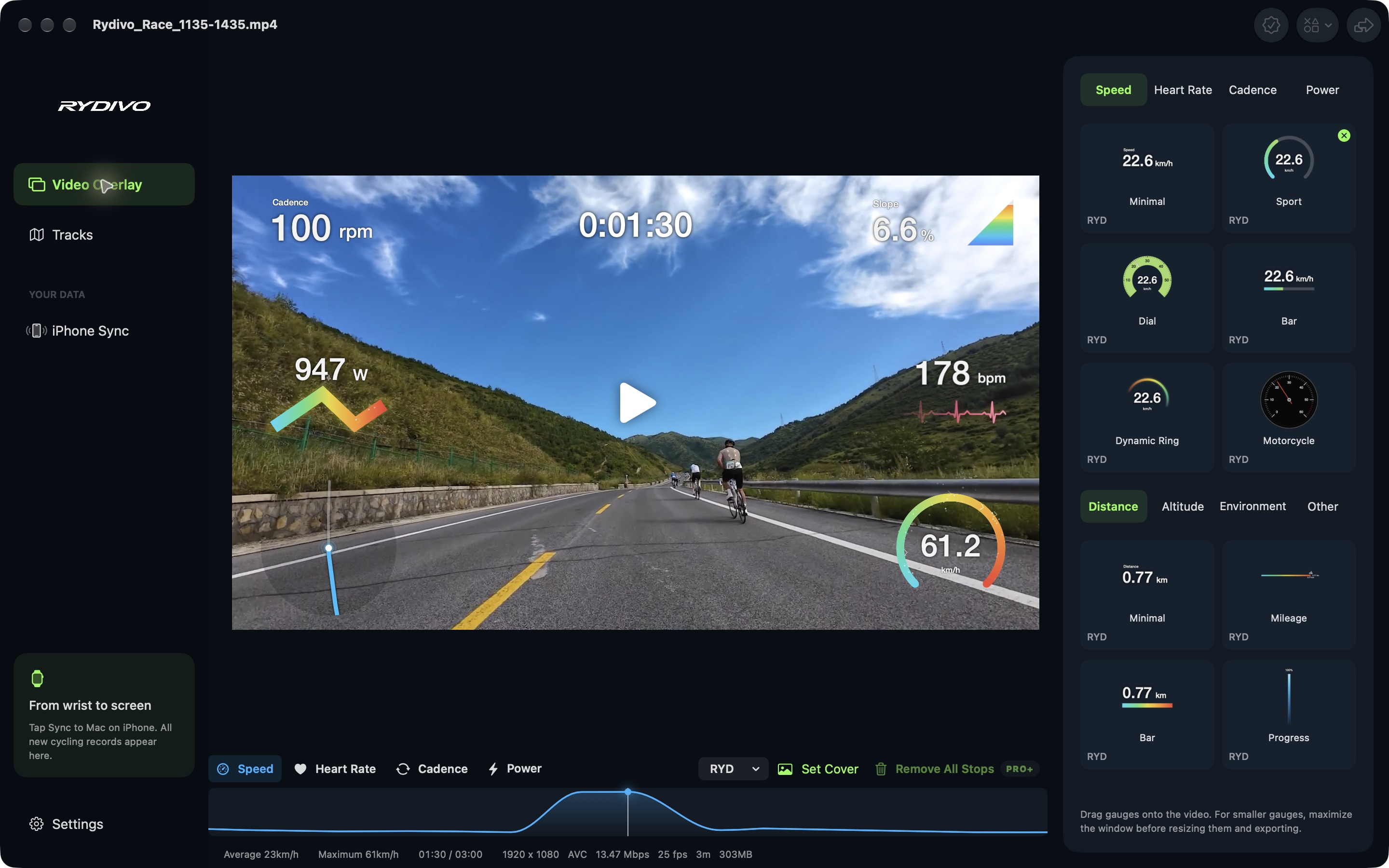
Import your own video and GPX, TCX, FIT or RYD data. Use a file from your bike computer or a ride shared from iPhone. Manual file import is available for free.
Add speed, heart rate, cadence, power, distance or altitude gauges when your source includes those metrics. Arrange them over your footage and align the timing.
Pro and above combine up to three sources of different types, choose a source for each gauge and fill gaps from another source. Follow your GPS track and elevation alongside the video.
Review detected stops, then remove individual stops or all stop segments with Pro and above. Correct drift in an imported GPX by shifting the route and saving a corrected copy.
Export MP4 in HEVC or H.264 at the original resolution and frame rate, including 4K. Free and Lite keep a Rydivo watermark; Pro and above remove it and support queued exports.
Choose a frame with your gauges or upload an image for the video cover. Studio exports the cover with your video and saves a separate JPEG.